
Solution to "This file is in use. Enter a new name or close the file that's open in another program" when trying to add new MDF connection in Visual Studio
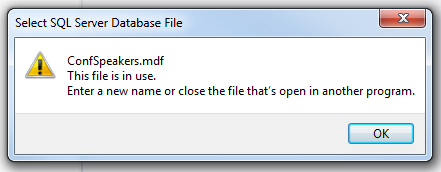
I needed to refresh the code generated by the EDMX model, but it wasn’t working for some reason. So I deleted the EDMX file and deleted the connection string from web.config to start from scratch. I got this error message when trying to create the new database connection:
-
 *
* -
“This file is in use. Enter a new name or close the file that’s open in another program”*
The problem is that VS keeps a file handle to the DB alive for the session and the “add new connection” dialog doesn’t realize the “other program” is actually itself.
I poked around for a few mins and found a “Detach” option in the MDF file context menu:
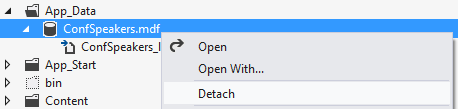 Click that menu option and then try to add your new connection again. It should work. If not then just close VS and reopen (after you detached the file).
Jon
Share on LinkedIn
Quick Share: Your custom post text has been copied to your clipboard! Click the button below to open LinkedIn's share dialog, then paste it.
💡 Tip: LinkedIn will open in a new tab. Use Ctrl+V (or Cmd+V on Mac) to paste your text.
Note: LinkedIn will show the article preview. You can add your custom text above it.