
Solution to Intellisense not working in Visual Studio 2012
1 min read
Not sure why, but Intellisense wasn’t working by default when I first installed Visual Studio 2012.
You need to reset your IDE settings.
1. Tools –> Import and Export Settings….
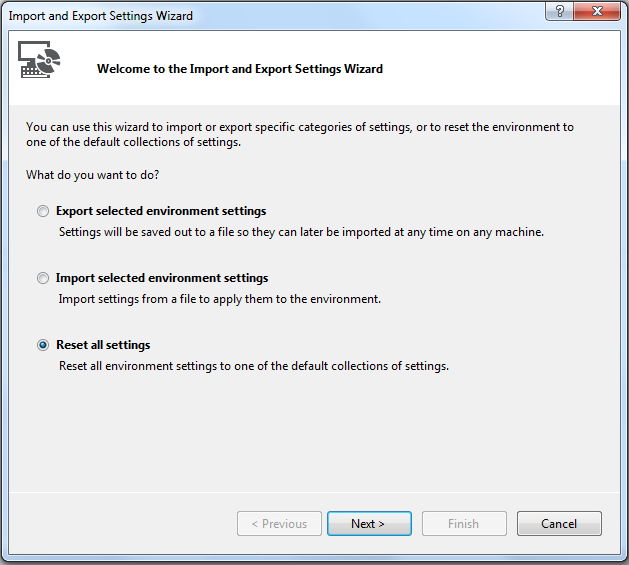
2. Select Reset all Settings
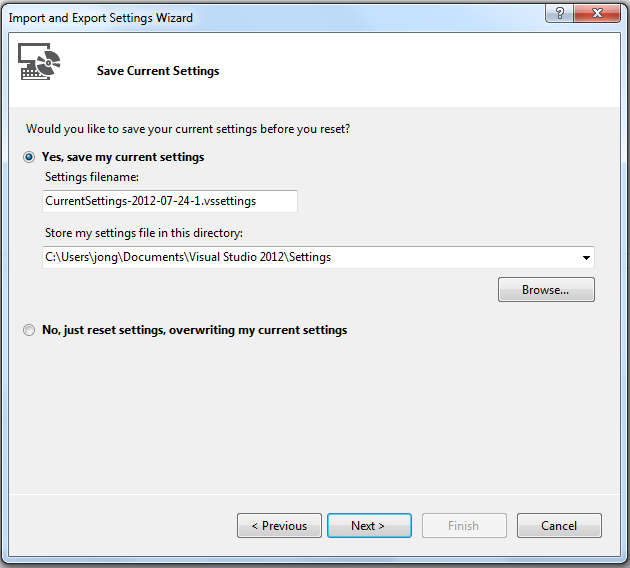
3. Backup current settings if you want to:
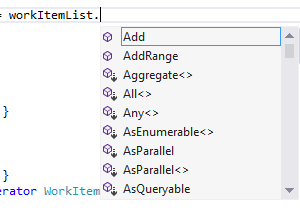
4. Viola. Intellisense now works.
Jon
Share:
Share on LinkedIn
Quick Share: Your custom post text has been copied to your clipboard! Click the button below to open LinkedIn's share dialog, then paste it.
💡 Tip: LinkedIn will open in a new tab. Use Ctrl+V (or Cmd+V on Mac) to paste your text.
Note: LinkedIn will show the article preview. You can add your custom text above it.