
Solution to "Could not find a part of the path 'C:\Users\AppData\Local\Temp\TestResults\Out\'." when running Unit Tests via ReSharper in Visual Studio 2012
1 min read
Took me a bit to find the solution to this one, but I eventually found it here.
1. Upgrade to Resharper 7.1.2
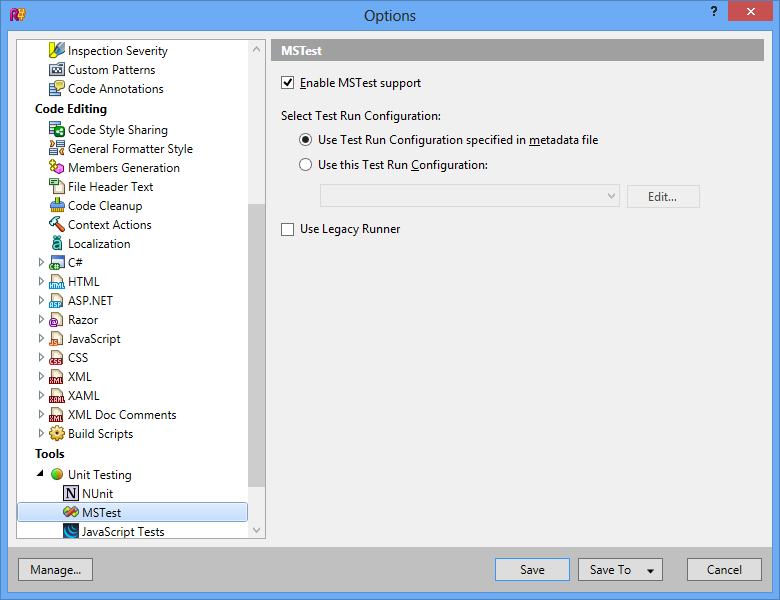
2. In VS go to Resharper –> Options –> Unit Testing –> MS Test and Uncheck “Use Legacy Runner”
Share:
Share on LinkedIn
Quick Share: Your custom post text has been copied to your clipboard! Click the button below to open LinkedIn's share dialog, then paste it.
💡 Tip: LinkedIn will open in a new tab. Use Ctrl+V (or Cmd+V on Mac) to paste your text.
Note: LinkedIn will show the article preview. You can add your custom text above it.