

How to Enable the Power Pivot Add-in in Excel 2016
1 min read
It took me a few minutes to figure out how to get the Power Pivot Excel Add-in installed, so I figured I’d do a post to save you some time.
Instead of a download it’s actually already installed when you install Office 16, it’s just disabled. Let’s go ahead and enable it.
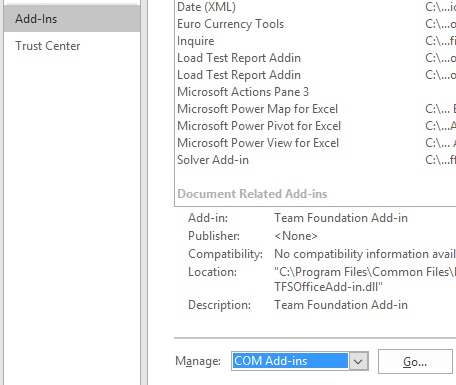
- Open Excel, Go to File –> Options –> Add-Ins
-
Select “COM Add-ins” from the “Manage” dropdown and click Go.
-
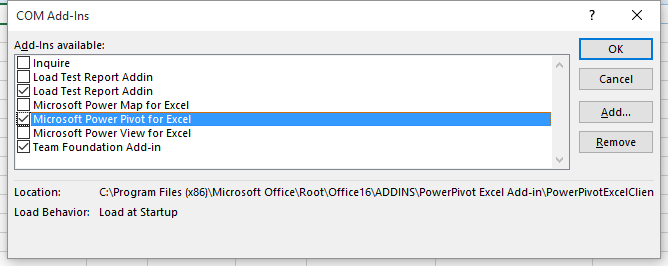
Check the “Microsoft Power Pivot for Excel” checkbox and click OK.
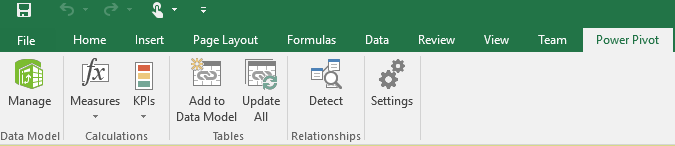
- You will now see the Power Pivot tab
Share:
Share on LinkedIn
Quick Share: Your custom post text has been copied to your clipboard! Click the button below to open LinkedIn's share dialog, then paste it.
💡 Tip: LinkedIn will open in a new tab. Use Ctrl+V (or Cmd+V on Mac) to paste your text.
Note: LinkedIn will show the article preview. You can add your custom text above it.