
Solution to Simplify3d error "The chosen layer height and extrusion width settings have resulted in a primary width/height ratio below 1.2. This is typically not recommended and may cause poor layer adhesion."
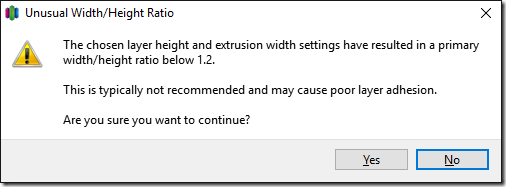
I got this Simplify3D error while setting up a multi-process print.
“The chosen layer height and extrusion width settings have resulted in a primary width/height ratio below 1.2. This is typically not recommended and may cause poor layer adhesion.”
[
I think this has to do with having multiple Process Settings with different layer heights that won’t successfully merge together on their own.
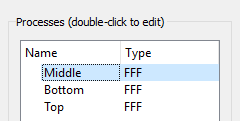
I fixed it by going to the Process settings (double-click the setting).
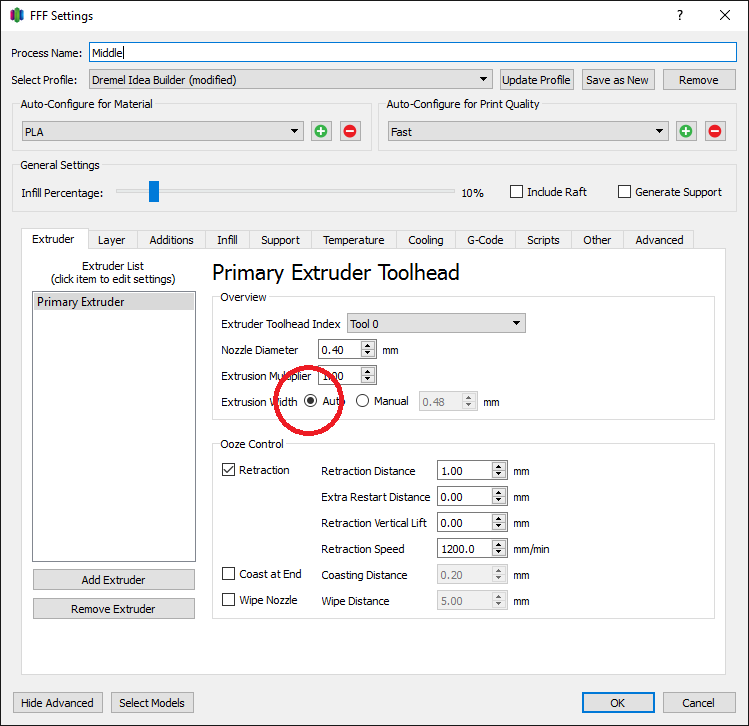
Set the Extrusion Width to Auto. If you have more than one process setting, then set them all to Auto
Jon
Share on LinkedIn
Quick Share: Your custom post text has been copied to your clipboard! Click the button below to open LinkedIn's share dialog, then paste it.
💡 Tip: LinkedIn will open in a new tab. Use Ctrl+V (or Cmd+V on Mac) to paste your text.
Note: LinkedIn will show the article preview. You can add your custom text above it.