
How to Install git-ftp on Windows
2 min read
I use git-ftp to deploy my hexo blog from a git repo to an FTP site. Getting it setup on Windows was non-trivial. Here’s how I got it working.
1. Install Chocolatey https://chocolatey.org/install
2. Install git
choco install git
```text
3\. Install cygwin
```bash
choco install cygwin
```text
> Run this twice if it fails the first time. Here’s how it failed for me.
```bash
ERROR: Running ["C:\Users\jong\AppData\Local\Temp\Cygwin\2.6.1\setup-x86_64.exe" --quiet-mode --site http://mirrors.kernel.org/sourceware/cygwin/ --packages default --root C:\tools\cygwin --local-package-dir C:\tools\cygwin --no-desktop] was not successful. Exit code was '1'. See log for possible error messages.Environment Vars (like PATH) have changed. Close/reopen your shell to see the changes (or in powershell/cmd.exe just type `refreshenv`).The install of cygwin was NOT successful.Error while running 'C:\ProgramData\chocolatey\lib\Cygwin\tools\chocolateyInstall.ps1'. See log for details.
Chocolatey installed 1/2 packages. 1 packages failed. See the log for details (C:\ProgramData\chocolatey\logs\chocolatey.log).
Failures
- cygwin (exited 1) - Error while running 'C:\ProgramData\chocolatey\lib\Cygwin\tools\chocolateyInstall.ps1'.
See log for details.
```python
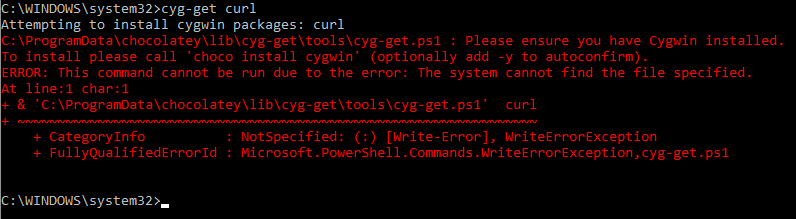
> If you get this error: “Please ensure you have Cygwin installed” then follow the steps [here](https://github.com/chocolatey/chocolatey-coreteampackages/issues/176#issuecomment-212939458)
> If you can’t get cygwin to install, then just install it directly from the cygwin website here: [https://cygwin.com/install.html](https://cygwin.com/install.html)
4\. Install cyg-get
```bash
choco install cyg-get
```text
5\. Install cyg-get curl package
```bash
cyg-get curl
```text
6\. Open Cygwin Terminal
7\. Get git-ftp
```bash
curl https://raw.githubusercontent.com/git-ftp/git-ftp/develop/git-ftp > /bin/git-ftp
```text
8\. Make git-ftp Executable
```bash
chmod +x /bin/git-ftp
```text
9\. Run git-ftp
```bash
git ftp
```python
You will see the following output.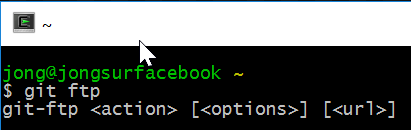
10\. Add cygwin to Windows PATH Environment Variable
So you can execute cygwin command from a Windows Command Prompt, open up Environment variables and add this to your path.
```bash
C:\tools\cygwin\bin
```text
11\. Open a Windows Command Prompt and run git ftp
```bash
git ftpOnce again, you will see the output, but this time from Windows instead of the cygwin Terminal. 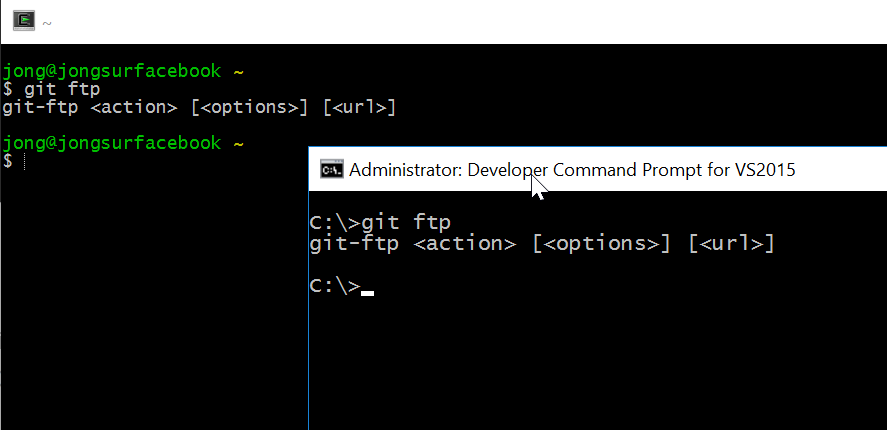
See the git-ftp GitHub repo for usage instructions.
Jon
Share: