

Solution to SignalR error 'Unexpected token in JSON' when parsing event data
2 min read
I’ve been writing some UI automation tests with Playwright and was trying to parse a SignalR event. Like so:
const imageEvent = JSON.parse(event.payload.toString()) as ImageEvent;
```text
And I got this error:
```bash
1) tests/memealyzer.spec.ts:15:1 › Add Meme Test =================================================
webSocket.waitForEvent: Unexpected token
in JSON at position 658
49 | expect(afterCardCount).toEqual(beforeCardCount + 1); 50 | > 51 | await webSocket.waitForEvent("framereceived", (event) => { | ^ 52 | if (event.payload.indexOf("ReceiveImage") > 0) { 53 | const imageEvent = JSON.parse(event.payload.toString()) as ImageEvent;
```python
As you can see from this screenshot: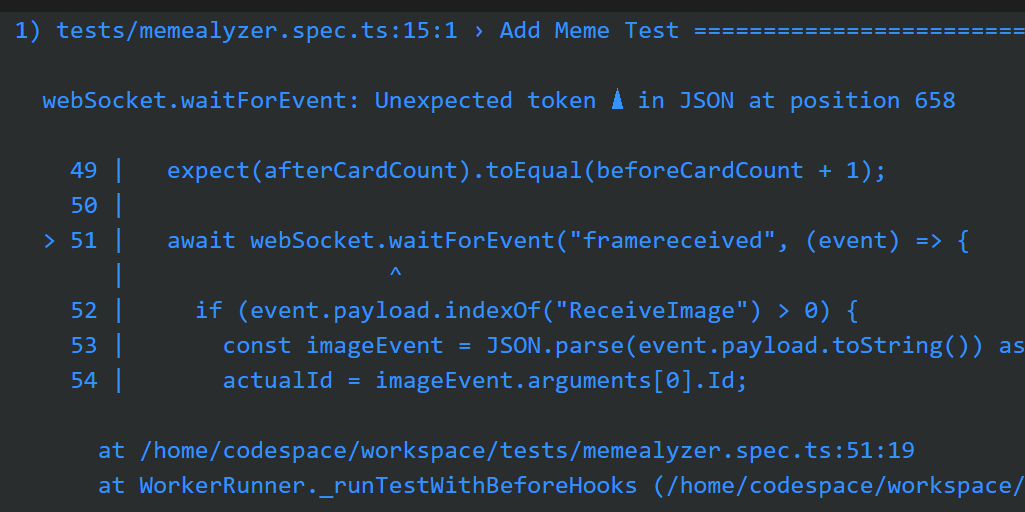
It looks like a christmas tree is in my JSON. I assumed it was an invalid char added by my code or playwright’s code, etc.
Here’s what it looks like in the debugger: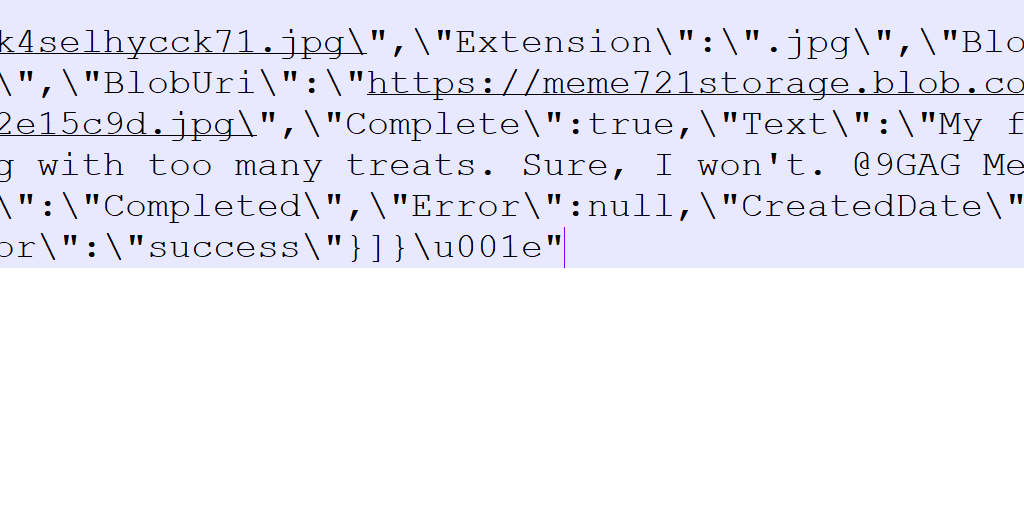
So, I removed it like so:
```typescript
const payload = event.payload.toString().replace("
", ""); // Remove hidden char
```markdown
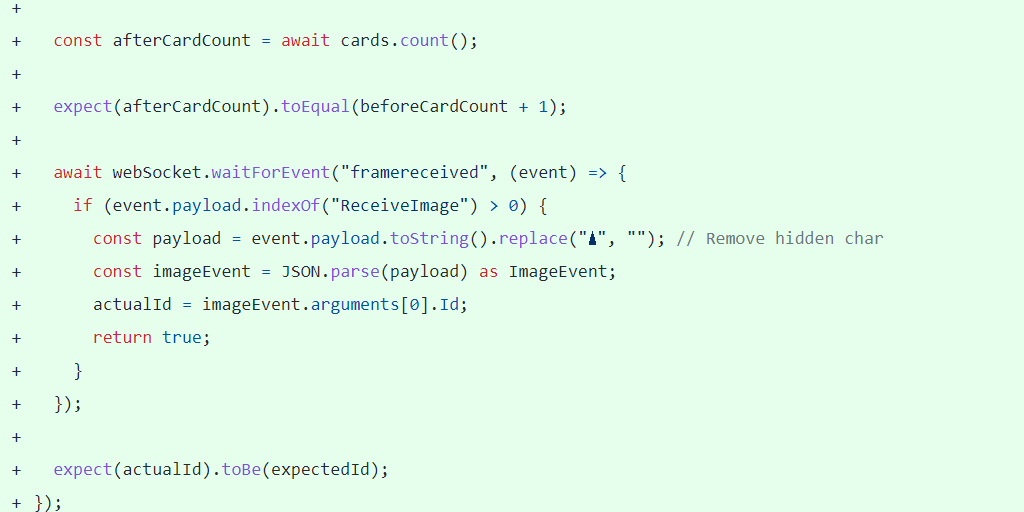
Little did I know that character is a record separator! After I tweeted my code, David Fowler pointed me to this:
> You want to split based on that character instead of removing it. A single websocket payload can contain multiple messages [https://t.co/3sHUdjCpoB](https://t.co/3sHUdjCpoB)> — David Fowler 🇧🇧💉💉 (@davidfowl) [September 1, 2021](https://twitter.com/davidfowl/status/1433139356609351683?ref_src=twsrc%5Etfw)
Here’s the code that SignalR uses to parse and iterate through the results:[https://github.com/dotnet/aspnetcore/blob/e18394c8a933a5e03c0f5e4d614b622c2cb0a4b7/src/SignalR/clients/ts/signalr/src/TextMessageFormat.ts#L6-L22](https://github.com/dotnet/aspnetcore/blob/e18394c8a933a5e03c0f5e4d614b622c2cb0a4b7/src/SignalR/clients/ts/signalr/src/TextMessageFormat.ts#L6-L22)
So, instead of removing the char, I now split on it and loop through the results.
```typescript
await webSocket.waitForEvent("framereceived", (event) => { if (event.payload.indexOf("ReceiveImage") > 0) { const imageEvents = TextMessageFormat.parse(event.payload.toString()); for (let imageEventRaw of imageEvents) { const imageEvent = JSON.parse(imageEventRaw) as ImageEvent; actualId = imageEvent.arguments[0].Id; return true; } } });Jon
Share:
Share on LinkedIn
Quick Share: Your custom post text has been copied to your clipboard! Click the button below to open LinkedIn's share dialog, then paste it.
💡 Tip: LinkedIn will open in a new tab. Use Ctrl+V (or Cmd+V on Mac) to paste your text.
Note: LinkedIn will show the article preview. You can add your custom text above it.