
How to Increase Disk Space Allocation on Raspberry Pi
1 min read
By default Raspberry Pi does not allocate enough of your SD card for it to be usable. Out of the box, if you run sudo apt upgrade, you’ll get a message saying that you don’t have enough disk space. Here’s how to free up more.
Open Terminal or SSH and execute the following command:
sudo raspi-config --expand-rootfssudo rebootYou might see an error message when running this, but I’ve ignore it and have had no issues.
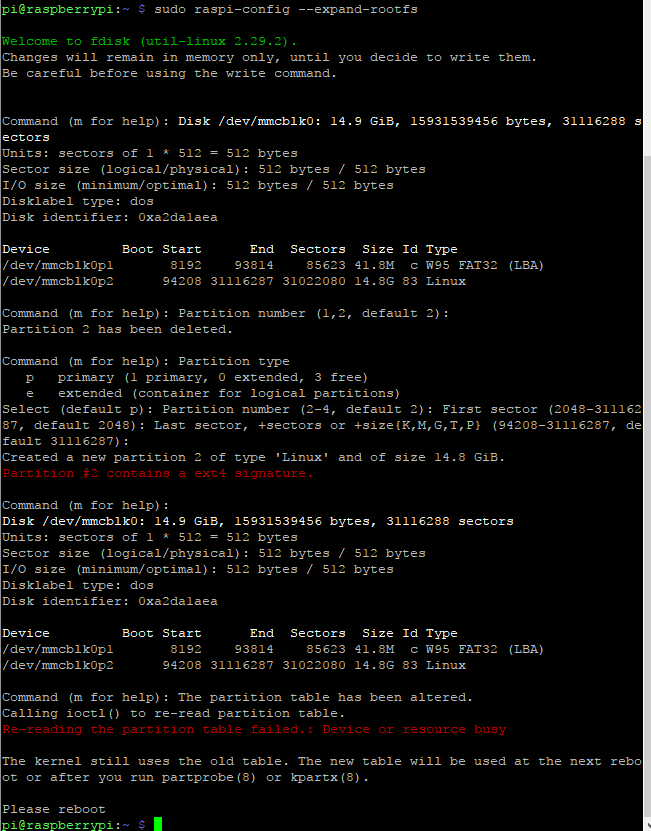
You’ll find more details on this resize process here.
Jon
Share:
Share on LinkedIn
Quick Share: Your custom post text has been copied to your clipboard! Click the button below to open LinkedIn's share dialog, then paste it.
💡 Tip: LinkedIn will open in a new tab. Use Ctrl+V (or Cmd+V on Mac) to paste your text.
Note: LinkedIn will show the article preview. You can add your custom text above it.