
How to disable the Windows 8 app switcher popup that appears when you move your mouse to the upper left hand corner of your screen
I often double click the upper left hand corner of an app to close it. I know I could Alt+F4 it, but that’s just what I do.
Windows 8 introduced this feature called “Recent App Switching” that shows a little preview of open apps when you hover your mouse in the upper left hand corner.
Here’s what it looks like:
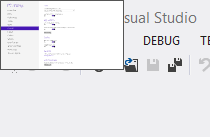
That obviously conflicts with my “double click to close action”. So after dealing with that for a I week I finally decided to figure out how to turn it off. I figured there’s got to be someone else with the same problem.
Here’s how to turn it off:
1. Hit the Windows key on your keyboard.

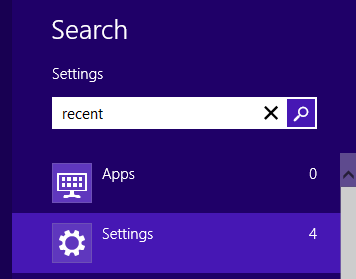
2. Type “recent” and click Settings
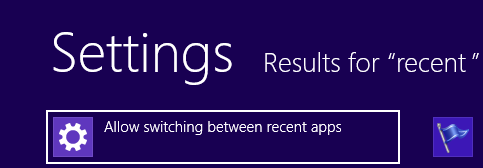
3. Click “Allow switching between recent apps”
4. Turn “App Switching” off
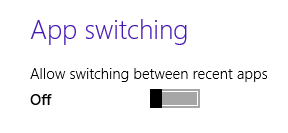
That’s it! No more annoying hover that interferes with your app closing
Jon
Share on LinkedIn
Quick Share: Your custom post text has been copied to your clipboard! Click the button below to open LinkedIn's share dialog, then paste it.
💡 Tip: LinkedIn will open in a new tab. Use Ctrl+V (or Cmd+V on Mac) to paste your text.
Note: LinkedIn will show the article preview. You can add your custom text above it.