

How to get started with MySQL and ASP.NET MVC with Entity Framework
I’ve always been a SQL Server guy, but I wanted to give MySQL a try for a project that I’m working on. I could find a really quick MySQL/MVC example so I threw this together. LMK if you have any issues.
- DOWNLOAD AND INSTALL MYSQL*
1. Download & Install MySQL (Includes MySQL Server, Workbench and Visual Studio Connector) I did a Full Install (not Developer default) and configured as a Development Machine.
MySQL Workbench will launch when it is complete:

- CREATE THE DATABASE*
2. Click “Create a new EER Model”
3. That will launch the Model Editor

4. Click the plus icon over to the right of “Physical Schemata” to create a new database. Name it “Company”

5. Double-click “Add Table”

6. Create a new Employee table like so.
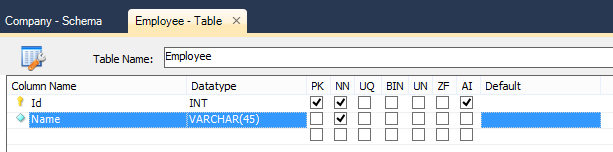
7. Click Save.
8. Go to Database –> Forward Engineer to push your changes to the MySQL instance. Read this if you are having issues here.
- CONNECT TO DATABASE*
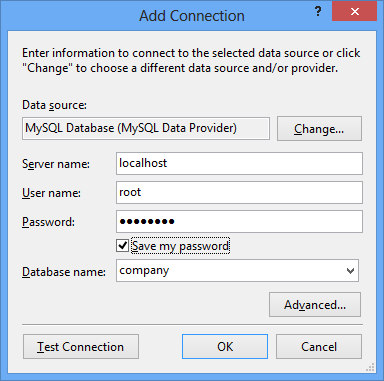
9. In Visual Studio, Open Server Explorer and create a new connection to your Employee MySQL database. This is what my Add Connection dialog looks like:
- CREATE MVC APPLICATION*
10. Create a new MVC application in Visual Studio. I used the Internet Application template.
- CREATE ENTITY FRAMEWORK MODEL*
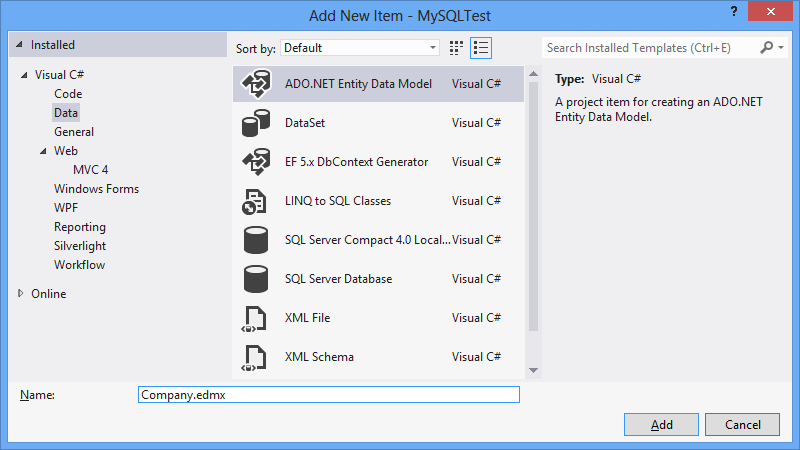
11. Add a new EDMX file to your MVC app and select the employee table.
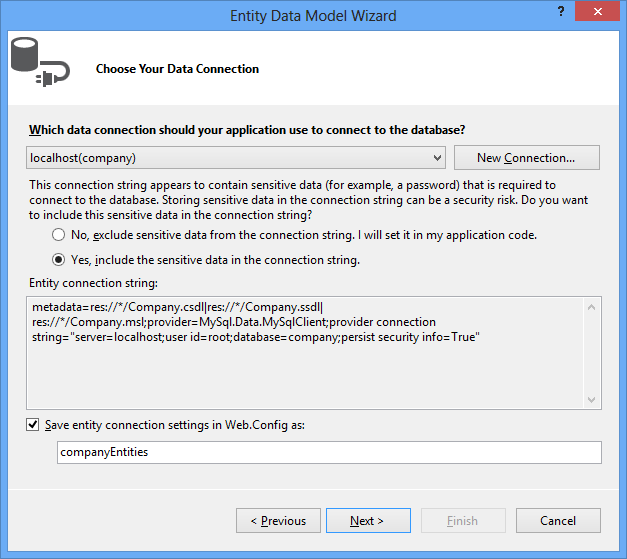
 I selected Yes, include the sensitive data in the connection string. Because it’s a quick sample.
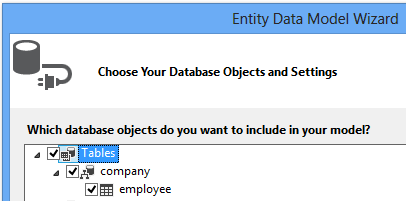
That will create a new EDMX, just make sure you save AND BUILD it once the diagram opens.
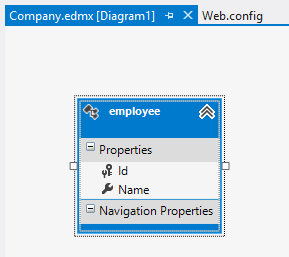
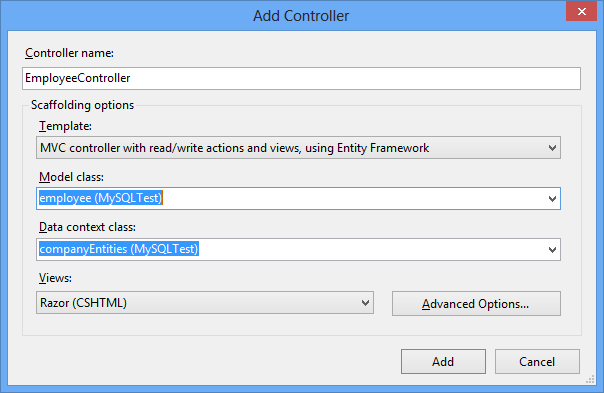
- CREATE MVC CONTROLLER*
12. Add a new controller with the MVC template and EF. Right click on “Controllers” folder and select “Add –> Controller”
- RUN THE APPLICATION*
13. Hit F5 and change URL to /employee (i.e. http://localhost:45171/employee

- CREATE A NEW EMPLOYEE*
14. Click “Create New”. Enter a Name. Click Create

Nice. We now have end to end MySQL, EF and MVC.

Jon
Share on LinkedIn
Quick Share: Your custom post text has been copied to your clipboard! Click the button below to open LinkedIn's share dialog, then paste it.
💡 Tip: LinkedIn will open in a new tab. Use Ctrl+V (or Cmd+V on Mac) to paste your text.
Note: LinkedIn will show the article preview. You can add your custom text above it.