
My Quest for the Perfect 3D Modeling Software for Makers - Part 6 - 3dtin
This is post 6 in my 3d modeling software series that outlines my experience as I search for the perfect 3d modeling software for makers. I’m looking for something that is inexpensive, precise, feature rich and inspiring. Here’s what we’ve looked at so far:
- Part 1: SketchUp and 123D Design
- Part 2: Tinkercad
- Part 3: Blender
- Part 4: FreeCad
- Part 5: DesignSpark Mechanical
In this post we’ll take a quick look at 3dtin.com. Overall 3dtin looks like a good solution for simple projects for beginners – a lot like Tinkercad – but shouldn’t be considered for detailed modeling. Looking at their gallery, people have built some amazing models with it, but I found it difficult to go deep on.
Program
Price
Pros
Cons

Free
Beautiful interface.
Web-based so you always have the latest version.
Great for beginners
Web-based so you always need an internet connection to use.
Limited functionality.
I quickly discovered some limitations by building out my simple ring:
I was able to drop a pipe and rotate it without any problem:
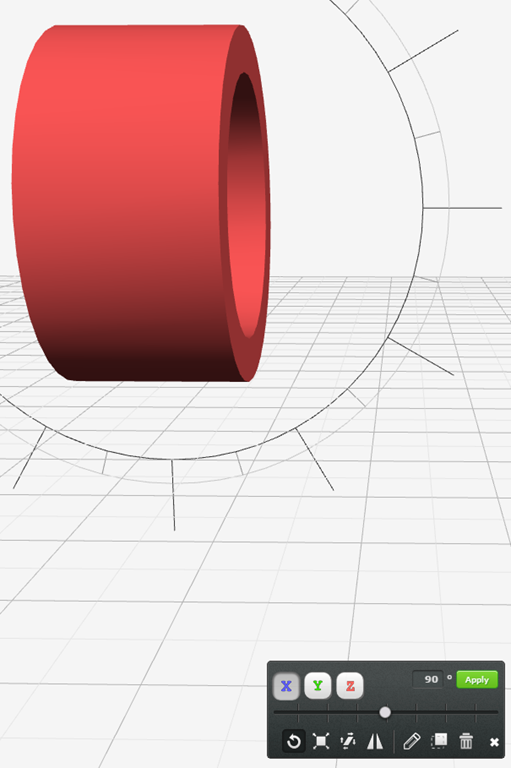
But I couldn’t find an option to do rounded corners on it.
I then attempted to build a funnel shape by dropping a cone and then chopping off one end, but I couldn’t figure out how to do that. I don’t think you can select sides or points. I think it’s only “whole object selection”
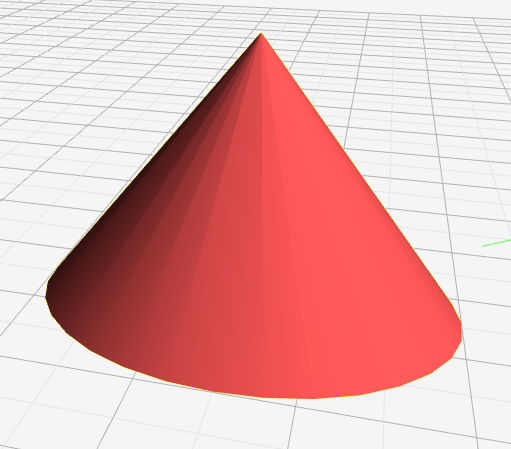
This is a short one, but given that I couldn’t figure out how to do those simple operations and I don’t see “loft”, “combine”, “sweep”, etc I decided to move onto the next option.
3D Modeling Software Comparison
Two Words
Inexpensive
User-Friendly
Precise
Inspiring
Feature Rich
Beautiful. Beginners.

Free
 Just ok, but not good enough
I couldn’t figure out a way to make fine adjustments to edges.
 Lack of features and finicky UX left me frustrated and wanting more.
Not the right tool beyond the basics.
- DesignSpark Mechanical*
GoodAttempt. MissingKeyFeatures.
Free
Better, but I wasn’t able to figure out how to do some basic operations on my own.
Units are in mm, but I can’t make fine adjustments, especially to circles
Close, but I found the lack of loft frustrating.
Lots of good features, but without loft it’s a no go.
Promising. Complex.
Free
Lots of icons, but not intuitive like 123D Design
Maybe after mastered, but not without training.
Powerful. Overwhelming.
Free, you just need to pay for tutorials
Lots of menus and keyboard shortcuts
Only meters, not millimeters. Conversion is difficult
Maybe after mastered, but not without training.
Potential. Limited.
Free to start, not sure if they have paid option.
Lacks loft and advanced features
Beautiful. Frustrating
Free for non-commercial. $10/month for commercial.
Can only set exact measurements when placing objects.
Exact. Dated.
Free for non-commercial. $590 for commercial.
Lack of smooth lines and buggy extensions.
Lacks loft, rounded corner.
Share on LinkedIn
Quick Share: Your custom post text has been copied to your clipboard! Click the button below to open LinkedIn's share dialog, then paste it.
💡 Tip: LinkedIn will open in a new tab. Use Ctrl+V (or Cmd+V on Mac) to paste your text.
Note: LinkedIn will show the article preview. You can add your custom text above it.