
How to Convert a Bing Maps Directions URL to a Bing Maps Routing API URL
I’m working on project that uses the Bing Maps Routing API and couldn’t find a way to easily convert a Directions URL that you would get from Bing.com/maps to the Bing Maps Routing API URL format, so I created a quick webpage to do so. It takes in a Bing Maps Directions URL, a Bing Routing API Key and spits out an equivalent Bing Routing API URL.
Here’s the app:http://jongallant.com/BingMapsDirectionsToRoutingAPIConverter.html

Here’s how to use it:
1. Go to Bing Maps http://bing.com/maps and get the directions that you need.
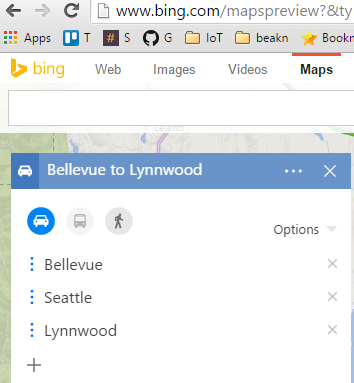
2. Once you have selected the exact route you want to use, click on the “Share” button.
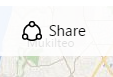
That will show this dialog:
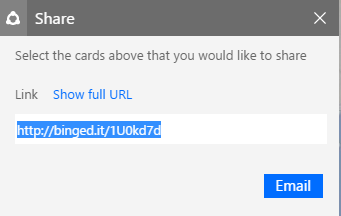
3. Click “Show full URL” and copy that URL into your clipboard
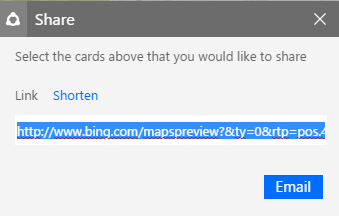
4. Go to my converter http://jongallant.com/BingMapsDirectionsToRoutingAPIConverter.html and paste the Bing Maps Directions URL into the first text box.
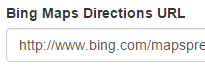
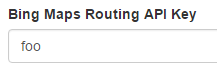
5. Enter your Routing API Key. You can get one here if you don’t have one: https://msdn.microsoft.com/en-us/library/ff428642.aspx
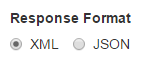
6. Select the Response Format that you’ll need:
7. Click “Convert”
Your Bing Maps Routing API URL will then appear:

You can then copy that URL to whatever application you need it for.
Jon
Share on LinkedIn
Quick Share: Your custom post text has been copied to your clipboard! Click the button below to open LinkedIn's share dialog, then paste it.
💡 Tip: LinkedIn will open in a new tab. Use Ctrl+V (or Cmd+V on Mac) to paste your text.
Note: LinkedIn will show the article preview. You can add your custom text above it.