
Solution: String was not recognized as a valid DateTime when calling DateTime.ParseExact on results of GetDetailsOf call
1 min read
This was time suck for me, hopefully not for you after reading this.
I’m working on a PowerShell script to organize my photo library. I want to get Date Taken from EXIF data. I got the data, but then got this error:
Exception calling "ParseExact" with "3" argument(s): "String '1/1/2000 12:12 AM' was not recognized as a valid DateTime."
```yaml
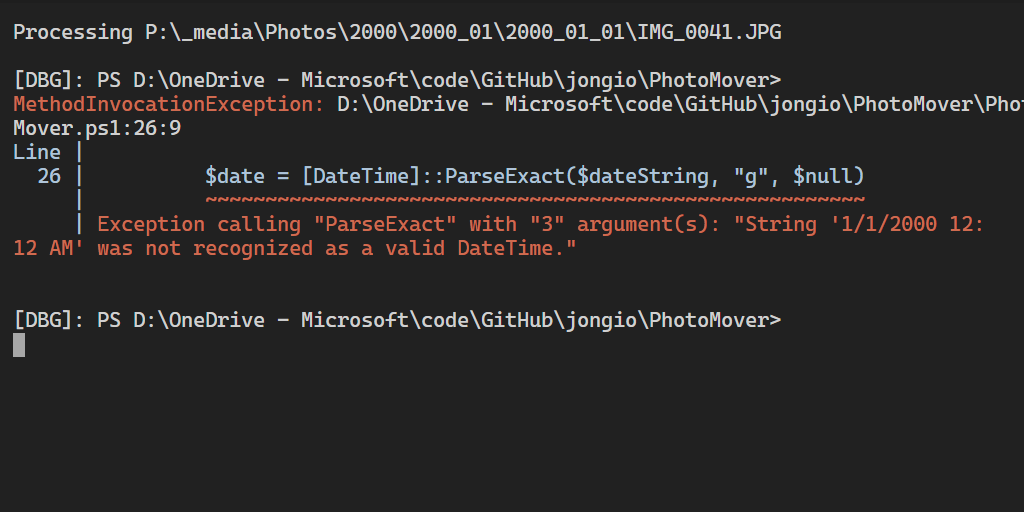
To the eye this looks like a valid date string, but there’s some sneaky hidden chars in there. See this:
Using: [https://www.babelstone.co.uk/Unicode/whatisit.html](https://www.babelstone.co.uk/Unicode/whatisit.html)
You can see that we have some Left to right and right to left unicode chars:
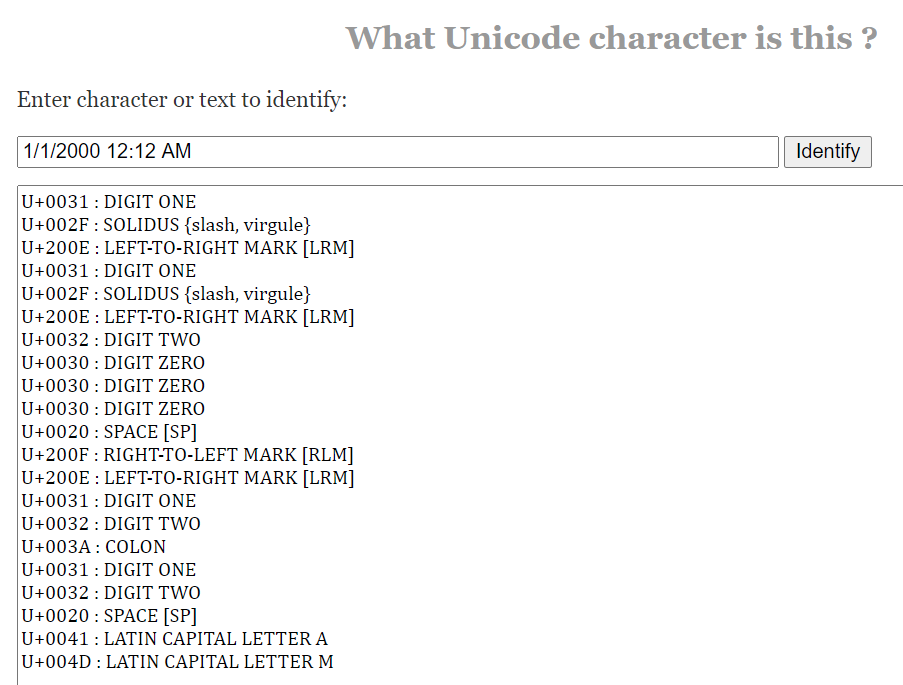
So, all you have to do is remove those nasty buggers:
```powershell
$dateString = ($dir.GetDetailsOf( $file, 12 ) -replace "`u{200e}") -replace "`u{200f}"
```text
And use the format code “g”, like so:
```powershell
$date = [DateTime]::ParseExact($dateString, "g", $null)
```text
And it works.
The code:
```powershell
$dateString = ($dir.GetDetailsOf( $file, 12 ) -replace "`u{200e}") -replace "`u{200f}"
if ($dateString) { $date = [DateTime]::ParseExact($dateString, "g", $null)}Hopefully this saved you time and money.
Share: