
Custom Parameters in azd up
Someone reached out to me recently asking how to add custom prompts to their azd up flow. They wanted to collect things like environment type, project owner, and team name before provisioning - beyond the standard subscription and location prompts.
I went looking for docs I could point them to and realized we didn’t have a single comprehensive guide that covered all the options in one place. The official docs cover the individual pieces - hooks, metadata decorators, and environment variables - but there’s nothing that ties them together into a “here’s how to add custom prompts” guide. We’ll get that into the official docs, but in the meantime I put together a quick sample repo and this post to walk through three different approaches, from simplest to most flexible.
The Problem
Here’s the thing - by default, azd up prompts for three things: environment name, subscription, and location. That’s it. But real projects need more. You might want to ask “is this dev, staging, or prod?” or “who owns this project?” before provisioning.
There’s no single doc that covers all the ways to add custom prompts. You can use Bicep decorators, parameters files, hooks, or some combination. So I put all three options in one repo so you can pick the right one for your situation.
Option 1: Pick List with @allowed
This is the easiest one. Add an @allowed decorator to a Bicep parameter and azd automatically shows a selection list - just like the built-in subscription and location pickers. The metadata docs cover more decorator options, but @allowed is the quickest path to a pick list.
@description('The environment type')@allowed([ 'dev' 'staging' 'prod'])param environmentType stringWhen you run azd up, you get this:
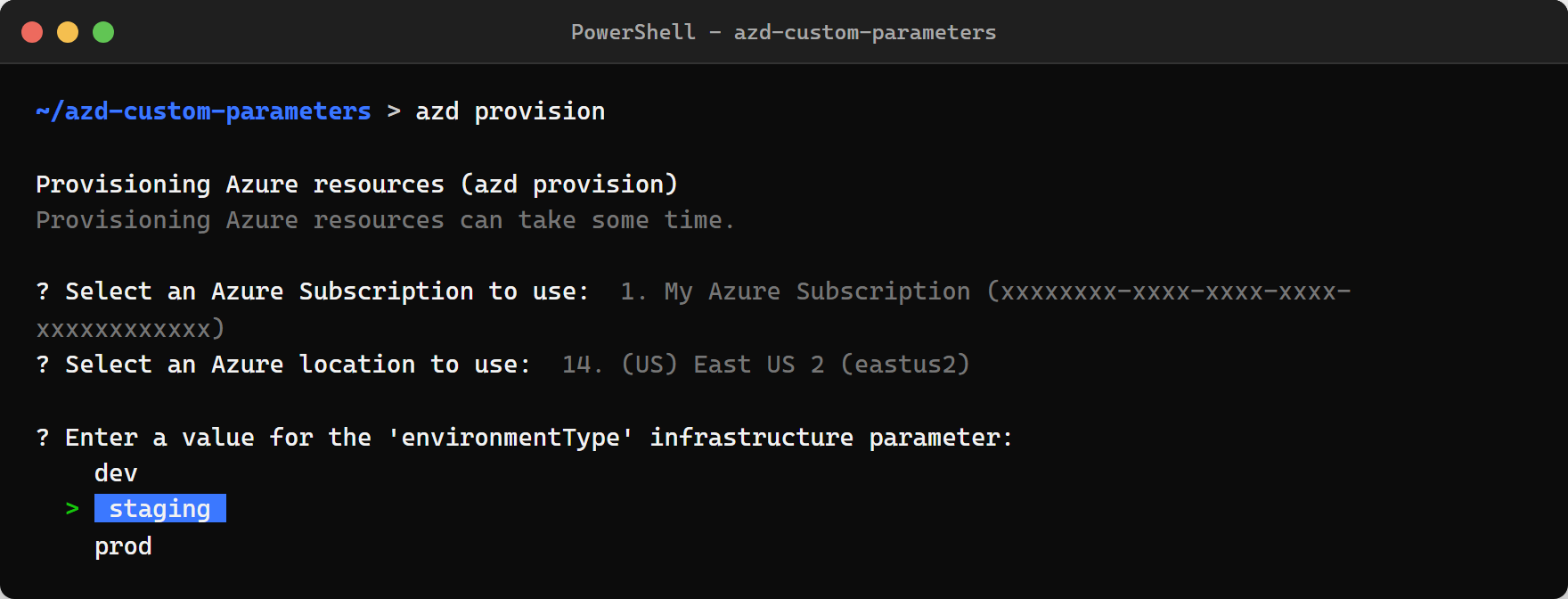
No configuration needed. Just add the parameter to your Bicep file and azd handles the prompt automatically. The user navigates with arrow keys and can type to filter. It’s the same UX as the subscription picker, so it feels native.
Option 2: Free-Text Input
If you need open-ended input instead of a fixed list, just declare a parameter with no default value. This one’s pretty straightforward:
@description('Who owns this project')param projectOwner stringazd sees a required parameter with no default and no value in parameters.json, so it prompts for it:
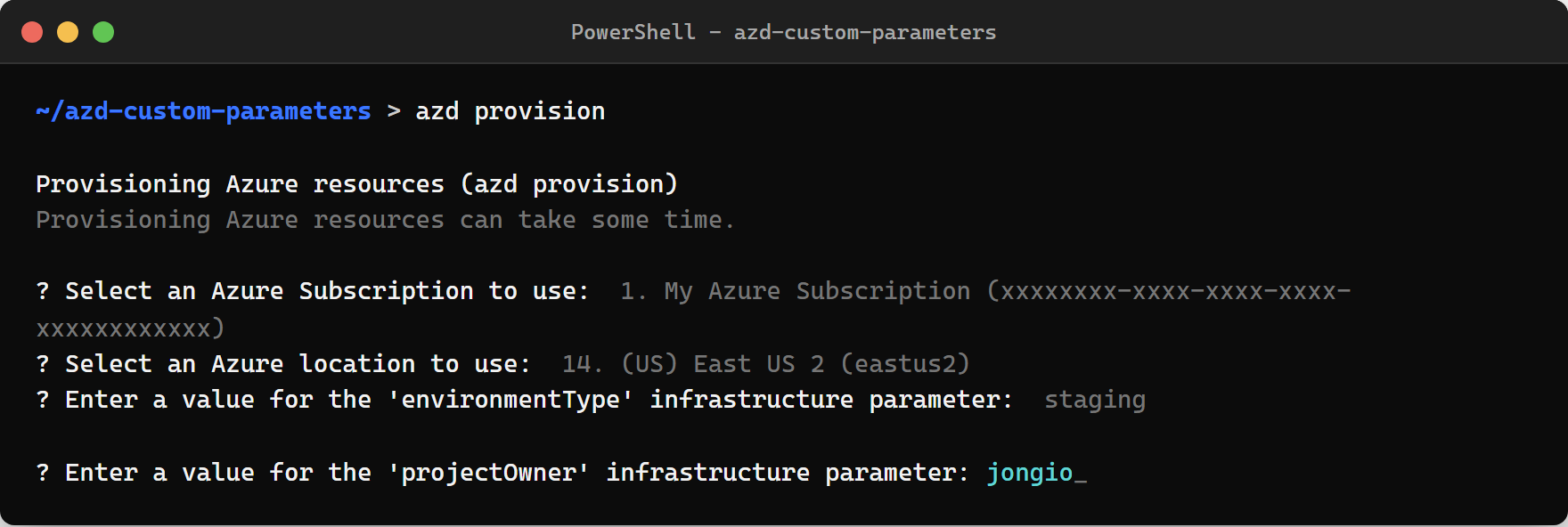
The user types whatever they want and hits Enter. That’s it.
Option 3: Hooks for Custom Logic
The first two options cover most cases. But sometimes you need more - dynamic lists from an API, conditional prompts, validation, or a menu-style UI that Bicep decorators can’t do.
That’s where preprovision hooks come in. You write a script that runs before azd provision, prompt the user however you want, and store the values with azd env set. The hooks docs cover all the lifecycle events, but here’s the specific pattern for custom prompts.
Here’s the flow:
azure.yaml (hooks) -> preprovision.ps1 -> azd env set -> .azure/<env>/.env |main.bicep <- main.parameters.json references ${VARIABLE_NAME} <---+The hook script can do whatever you need:
Write-Host "========================================"Write-Host "  Custom Pre-Provision Configuration"Write-Host "========================================"
Write-Host "Available teams:"Write-Host "  1) platform-engineering"Write-Host "  2) app-development"Write-Host "  3) data-science"Write-Host "  4) devops"Write-Host "  5) Enter custom value"
$choice = Read-Host "Select a team (1-5)"
$teamName = switch ($choice) {    "1" { "platform-engineering" }    "2" { "app-development" }    "3" { "data-science" }    "4" { "devops" }    "5" { Read-Host "Enter custom team name" }}
# Store in azd environmentazd env set CUSTOM_TEAM_NAME $teamName
Here’s what that actually looks like when you run azd provision:
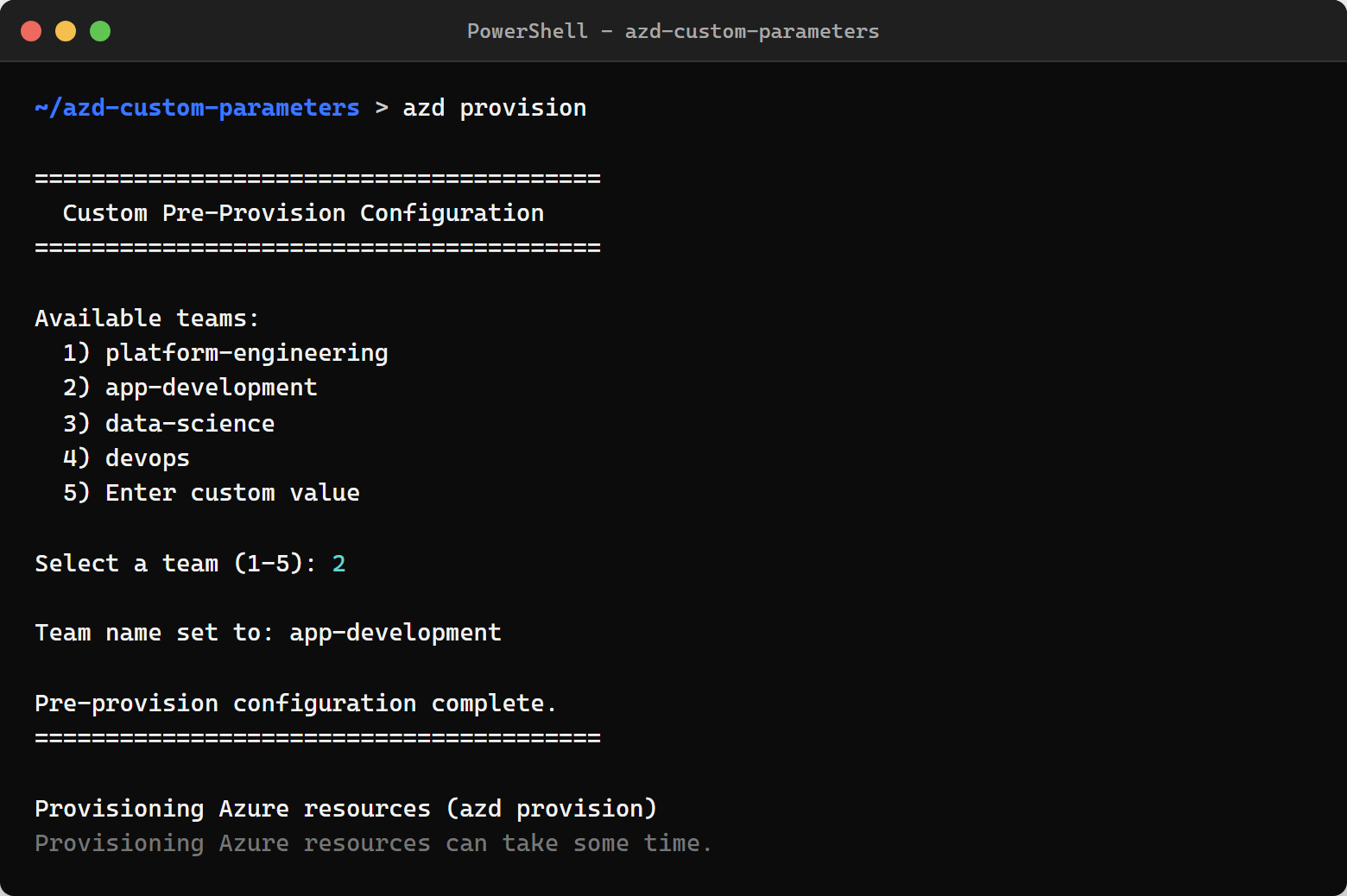
Then in main.parameters.json, you reference the environment variable:
{ "parameters": { "customTeamName": { "value": "${CUSTOM_TEAM_NAME}" } }}And your Bicep parameter picks it up with a default so azd doesn’t also prompt for it:
@description('Team name - set by preprovision hook')param customTeamName string = 'unset'Enable the hook in azure.yaml:
hooks: preprovision: windows: shell: pwsh run: hooks/preprovision.ps1 interactive: true posix: shell: sh run: hooks/preprovision.sh interactive: trueThe hook’s idempotent too - if you run azd up again, it detects the existing value and skips the prompt. I didn’t have to add much code for that, just a quick check at the top of the script.
Which One Should You Use?
| Scenario | Use |
|---|---|
| Pick from a fixed list | @allowed decorator |
| Collect free-text input | Parameter with no default |
| Dynamic lists, API calls, conditional logic | Hook script |
| Skip all prompts in CI/CD | Pre-set values with azd env set or azd env config set |
You can mix all three in the same template. The sample repo does exactly that, and it’s pretty clean once you see it working.
Skipping Prompts in CI/CD
All three options support non-interactive mode. Pre-set everything and pass --no-prompt:
# Set hook valuesazd env set CUSTOM_TEAM_NAME "platform-engineering"
# Set Bicep parameter valuesazd env config set infra.parameters.environmentType "prod"azd env config set infra.parameters.projectOwner "ci-bot"
# Run with no promptsazd up --subscription <id> --location eastus --no-prompt
If you forget to set a value, azd tells you exactly what’s missing:
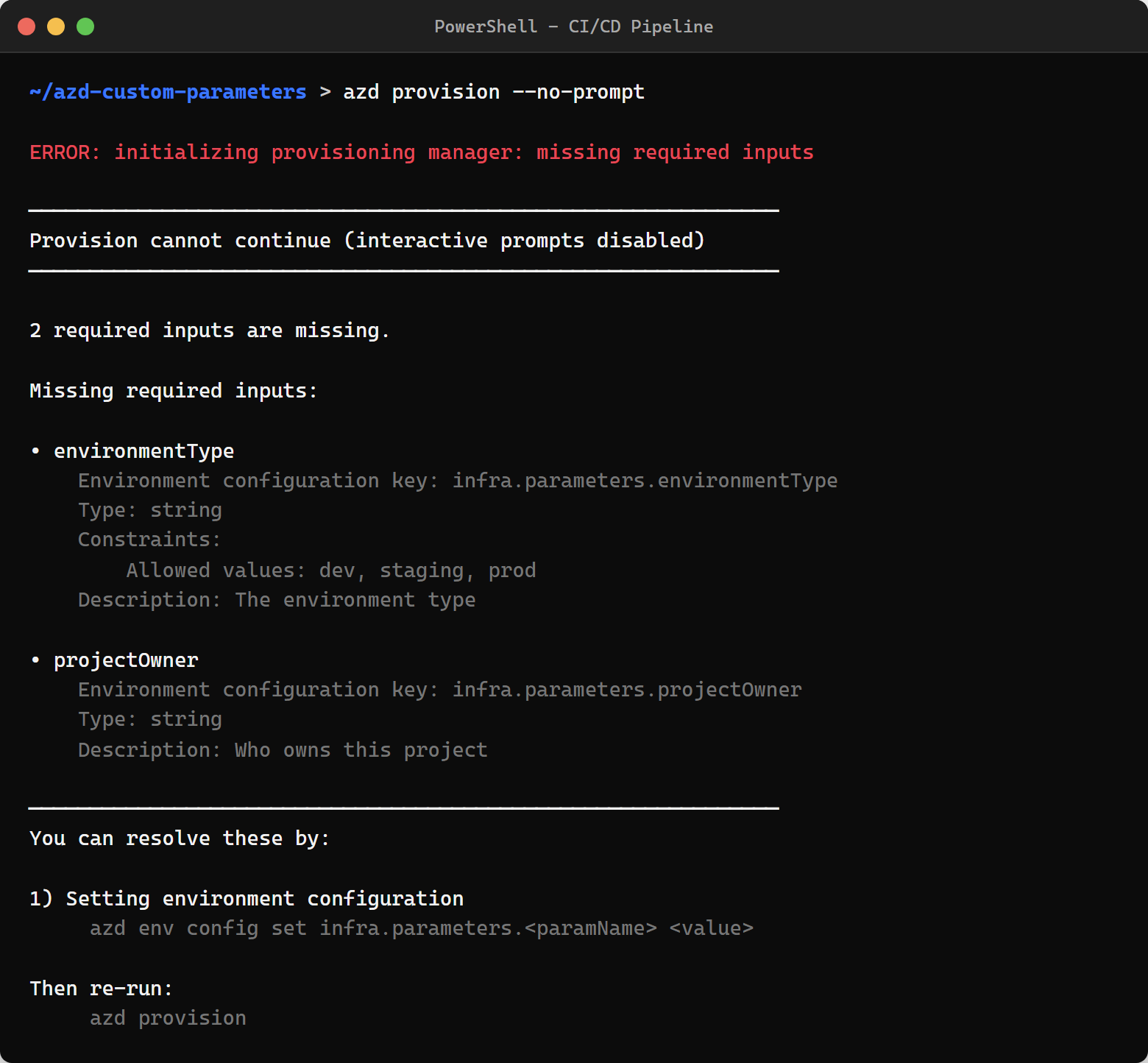
That error output is actually really helpful - it lists every missing parameter, the allowed values, and the exact azd env config set command to fix it. Zero guesswork.
Try It Out
The full sample is at github.com/jongio/azd-custom-parameters. Clone it, run azd up, and you’ll see all three prompt types in action.
If you hit any issues or have ideas for other parameter scenarios, file an issue on the repo.
Jon
Share on LinkedIn
Quick Share: Your custom post text has been copied to your clipboard! Click the button below to open LinkedIn's share dialog, then paste it.
💡 Tip: LinkedIn will open in a new tab. Use Ctrl+V (or Cmd+V on Mac) to paste your text.
Note: LinkedIn will show the article preview. You can add your custom text above it.