

Solution to "Windows cannot access the specified device, path, or file. You may not have the appropriate permissions to access the item" c:\program files\common files\microsoft shared\ink\tabtip.exe when trying to edit a PDF file.
Solution to “Windows cannot access the specified device, path, or file. You may not have the appropriate permissions to access the item” c:\program files\common files\microsoft shared\ink\tabtip.exe when trying to edit a PDF file.
If you see this error while editing a PDF file:
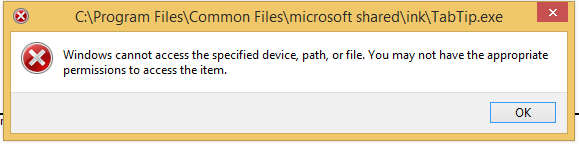
Then try disabling “touch mode” by clicking on the icon that looks like a finger pointing to a purple button.

I found the solution here, but I figured I’d blog it to help you find the solution faster.
Jon
Share on LinkedIn
Quick Share: Your custom post text has been copied to your clipboard! Click the button below to open LinkedIn's share dialog, then paste it.
💡 Tip: LinkedIn will open in a new tab. Use Ctrl+V (or Cmd+V on Mac) to paste your text.
Note: LinkedIn will show the article preview. You can add your custom text above it.